Sessionweaver

Claude Code, everywhere

One hub for every Claude Code session you run.

Sessionweaver runs Claude Code on all your machines and keeps every session in one place. Start, steer and answer them from your phone.

Self-hosted. Linux, macOS and Docker workers. No account, no cloud.

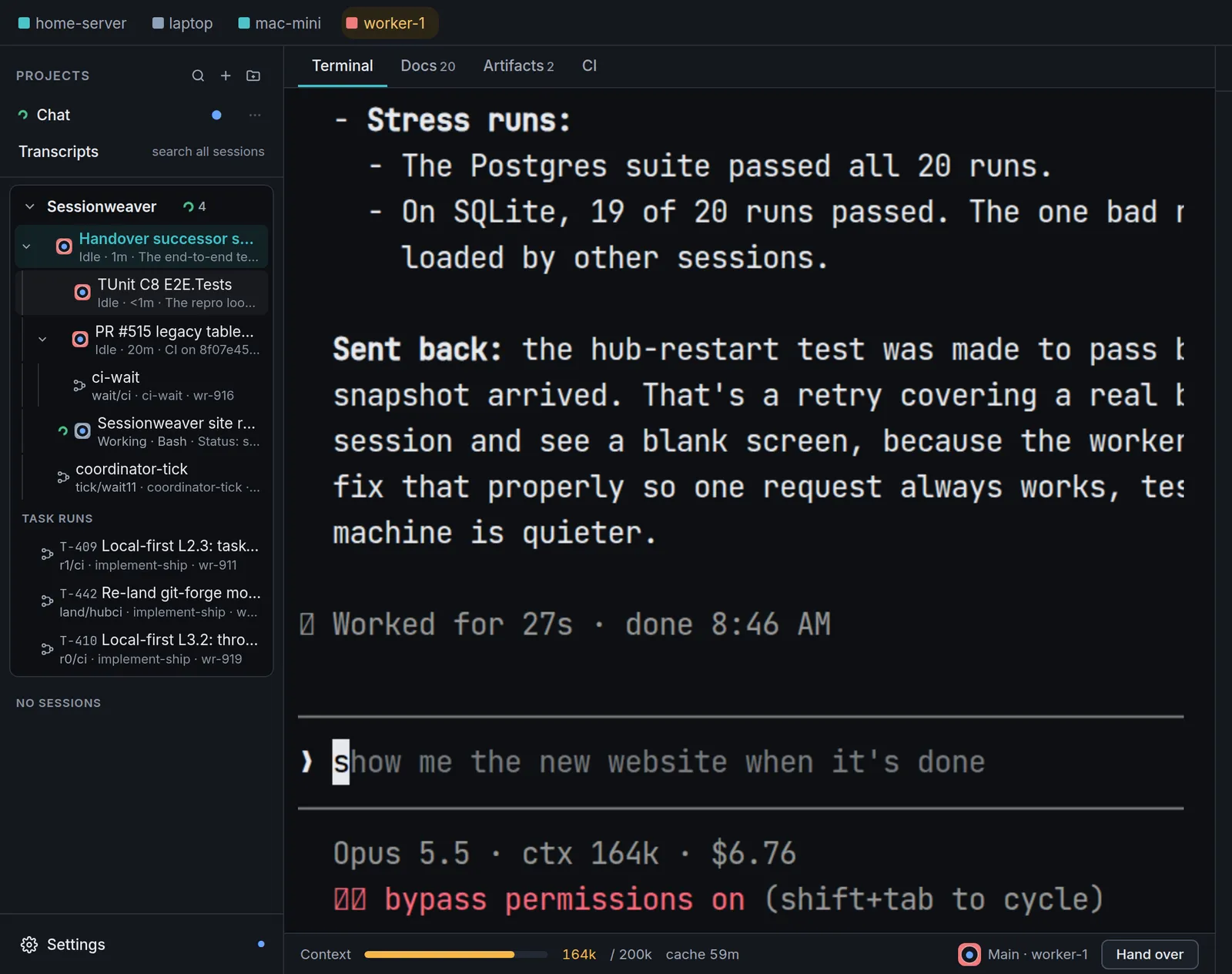
Sessionweaver on a desktop: the project tree on the left, a live Claude Code terminal in the middle, and the context meter with a Hand over button below.
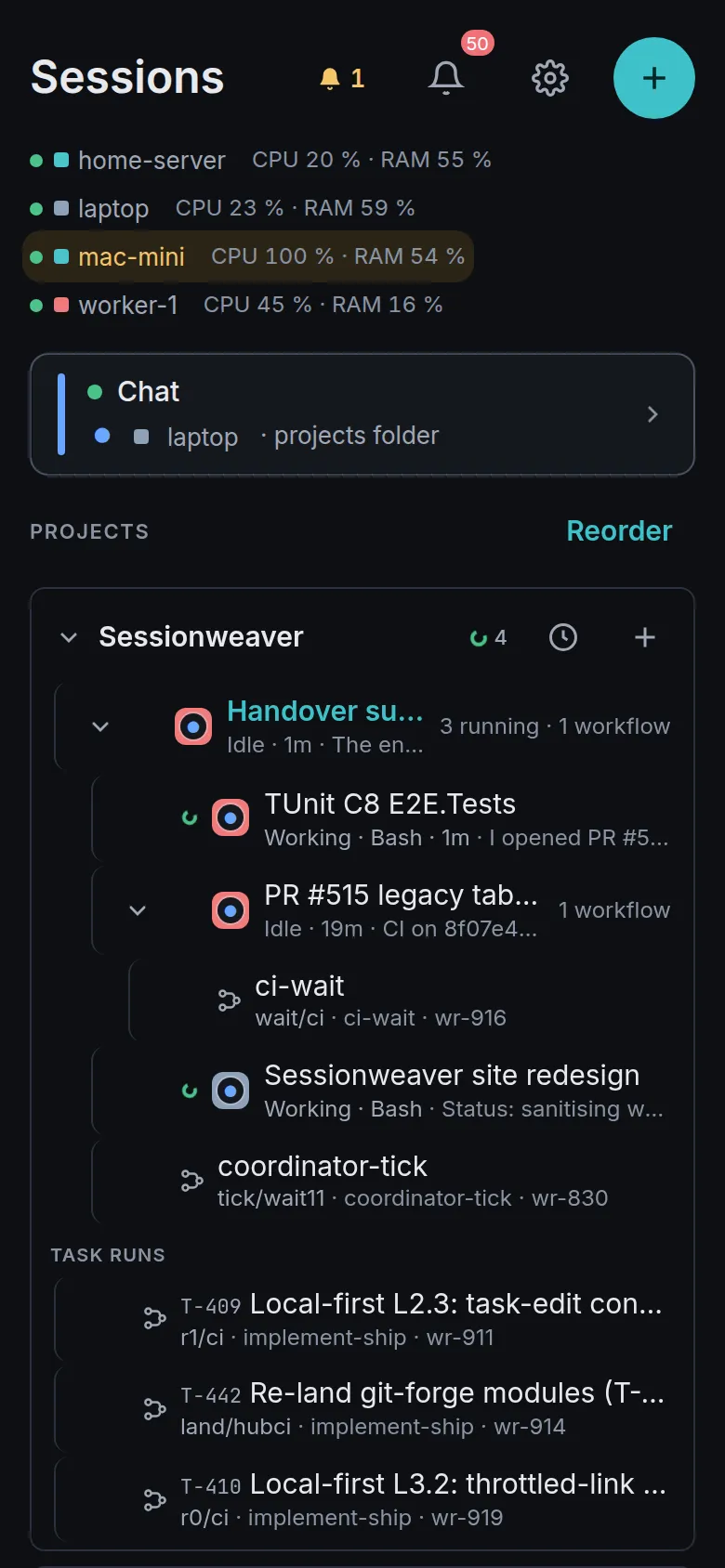
Sessionweaver on a phone: machines with live CPU and RAM, then the project tree with each running session and workflow.

How it works

Your phone. One hub. Every machine.

A small worker daemon on each of your machines hosts the real Claude Code terminal. The hub keeps them all in one list, and your phone only ever talks to the hub.

Your phone talks to one hub. The hub talks to a worker on each machine. Each worker runs Claude Code sessions. PHONEHUBWORKERSCLAUDE CODE Phoneinstalled web app Hubone per persontasks · workflows laptopworker daemon home serverworker daemon Mac miniworker daemon claude · refactorreal terminal UI claude · testsown process claude · reviewsurvives restarts Your phone talks to one hub. The hub talks to a worker on each machine. Each worker runs Claude Code sessions. Phoneinstalled web app Hubone per persontasks · workflows WORKERS laptopworker homeserverworker Mac miniworker CLAUDE CODE SESSIONS clauderefactor claudetests claudereview each in its own process, sorestarts never end a session

Install a hub

One per person, on any Linux box. It serves the web UI and holds the database.

Add workers

Mint a token, drop a worker on a laptop, server or Mac. They connect out to the hub.

Open it on your phone

Add the hub to your home screen. Start sessions, read replies, answer questions.

Features

Built for people who run a lot of Claude Code.

Many machines

Many machines, one hub.

Your laptop, a home server and a Mac mini all show up in the same list, with live load per machine. Start a session wherever there is spare capacity; the checkout and the Claude login stay on that machine.

  • Pick project, machine and checkout for each new session
  • Sessions run in their own processes, so hub and worker updates never end them
  • Per-machine session limits and drain controls
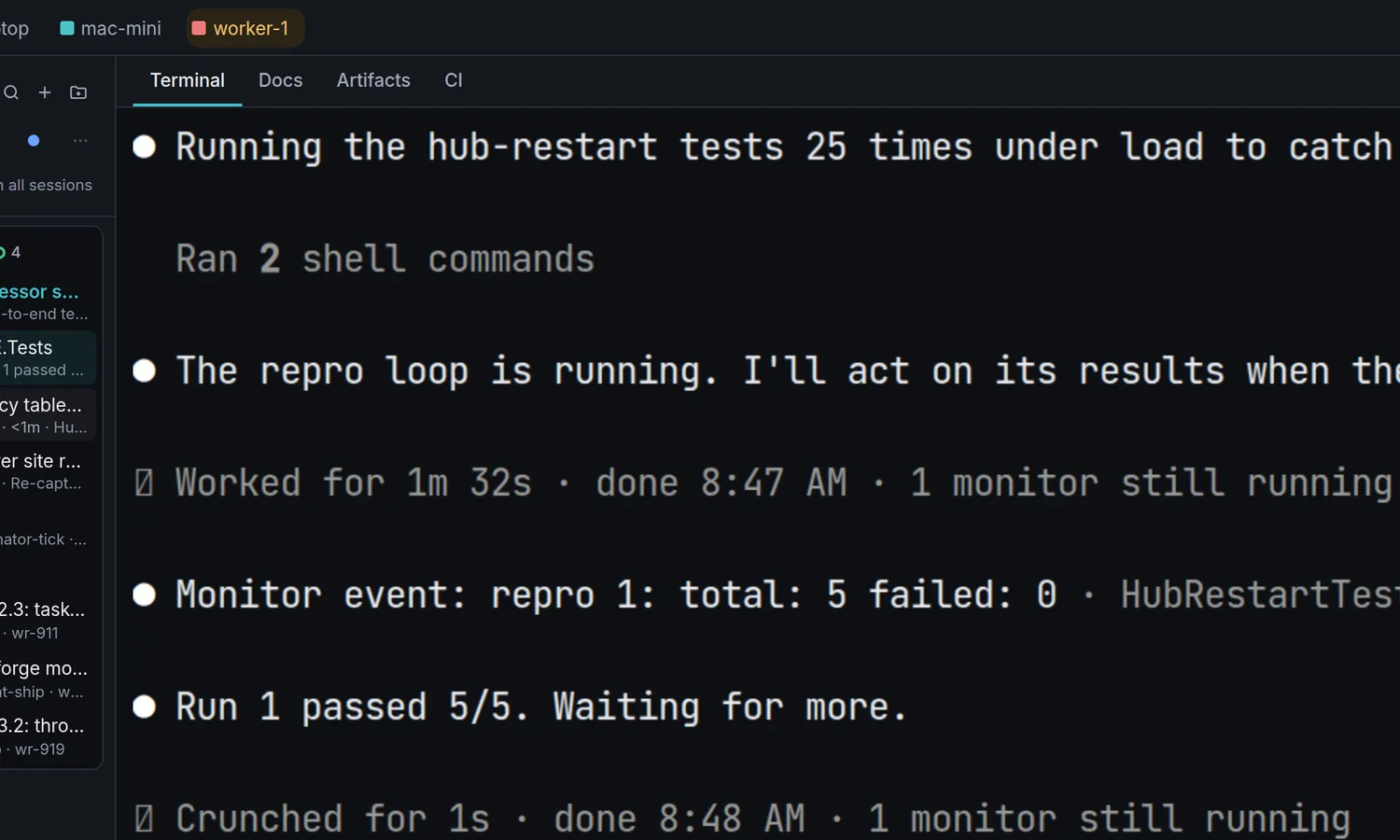
The real Claude Code terminal running inside Sessionweaver, with the context meter and a Hand over button at the bottom.

Coordinators and handover

Sessions that supervise sessions.

A coordinator spawns and watches other sessions, collects their reports and brings you only the questions that are really yours to decide. When a context window fills up, hand the work to a fresh successor with one tap.

  • Reports flow back to the session that started the work
  • Questions reach your phone with answers one tap away
  • Handover keeps the plan, open work and git state
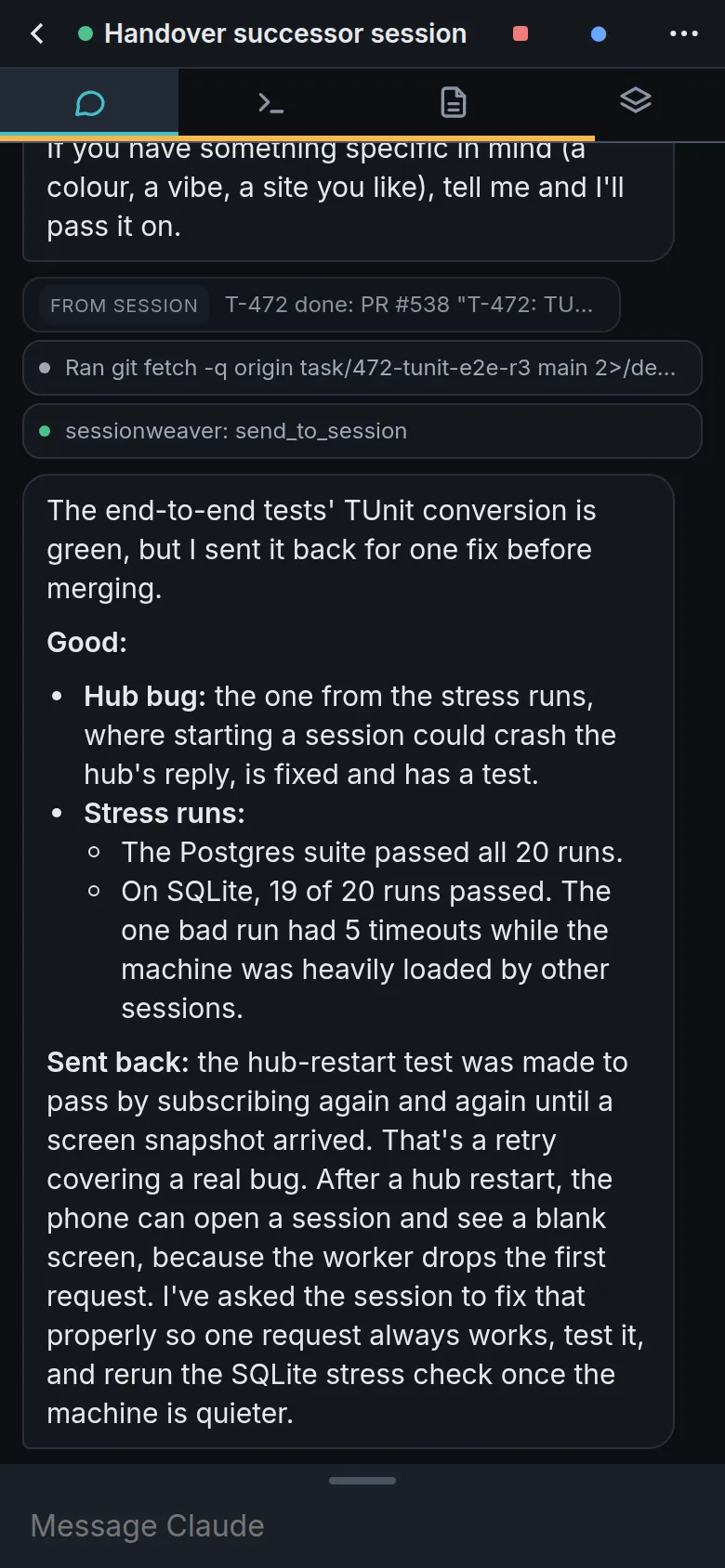
A Sessionweaver chat on a phone: Claude lists what the new site will contain, with tool calls collapsed into one-line rows.

Tasks board

A tasks board that dispatches itself.

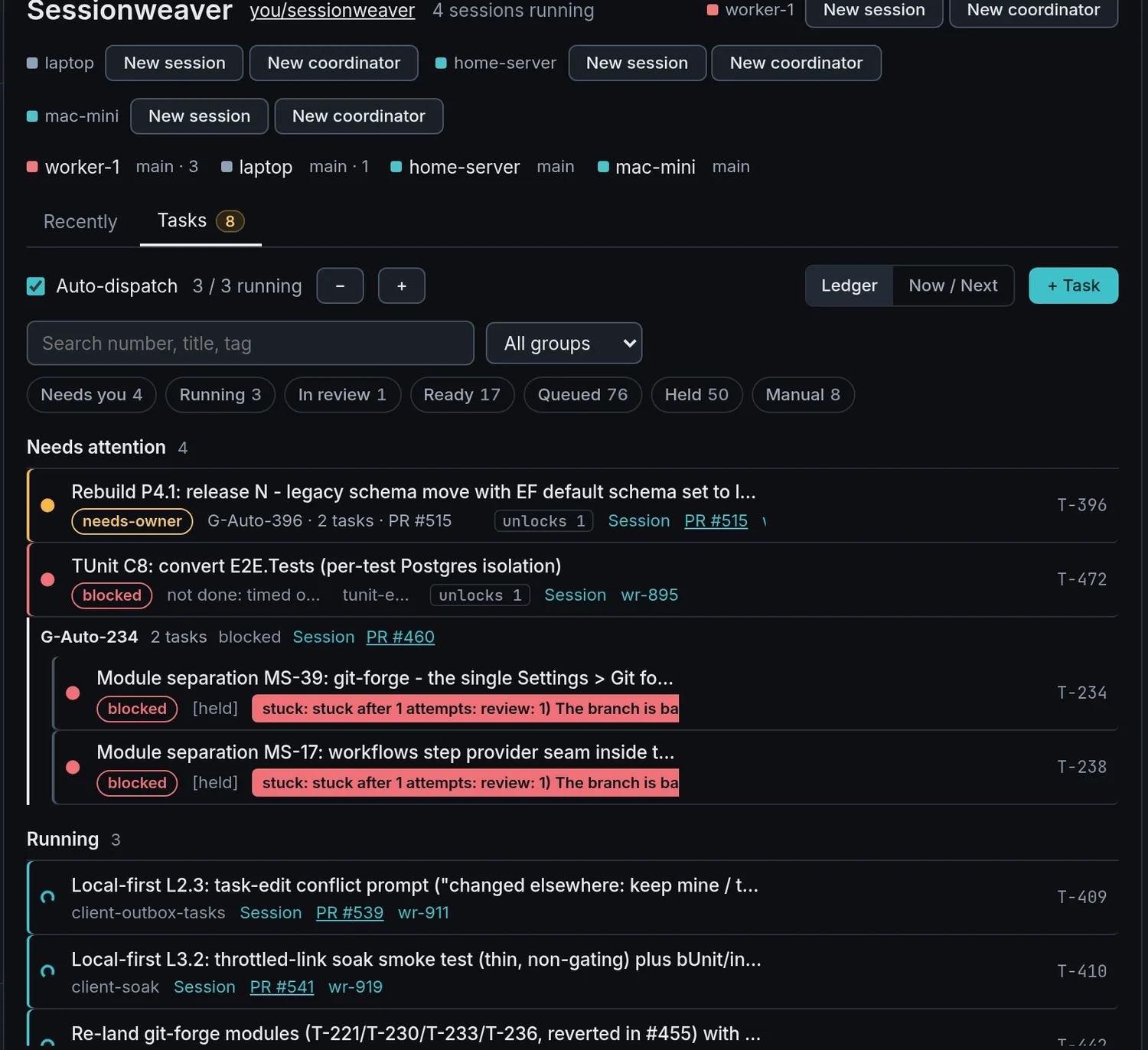
File a task and the hub starts it on a worker with spare capacity, tracks it to a pull request and flags what needs you. Group related tasks, hold others, reorder the queue whenever you like.

  • Auto-dispatch with a concurrency limit you set
  • Needs-attention, running, in review and queued at a glance
  • Works from the phone as well as the desktop
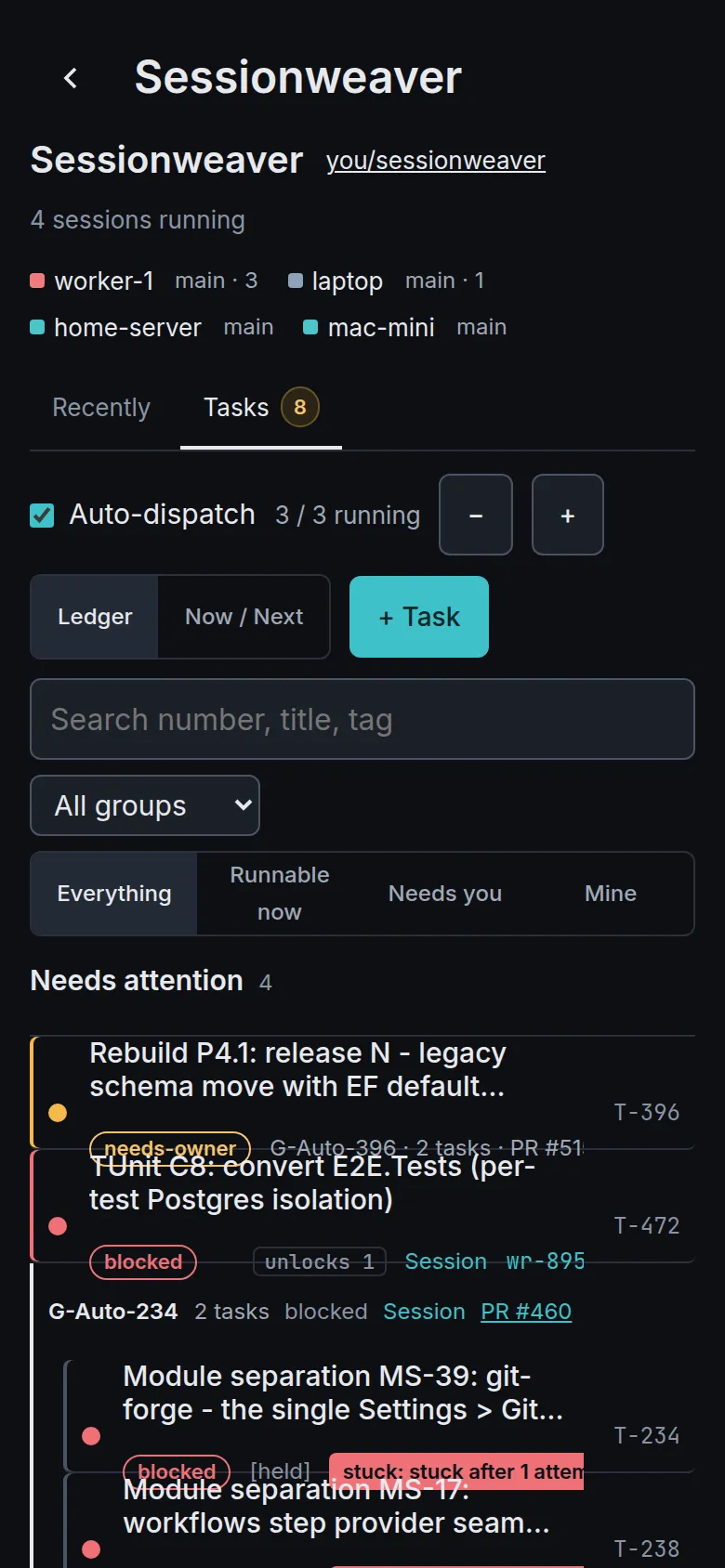
The Sessionweaver tasks board with filters for needs you, running, in review, ready and queued, listing tasks with their status, pull request and session.

Workflows

CI wait, heal and ship.

Hub-run automations handle the repetitive parts of shipping. Wait on CI without burning a session, digest a red run, heal it, then merge when it is green on the exact commit.

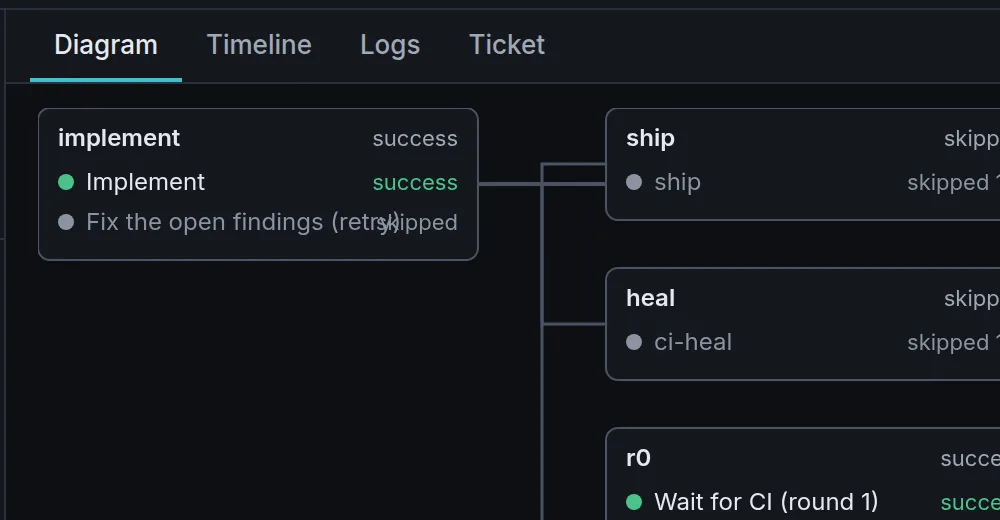
  • Every run draws its own live diagram
  • Steps, timeline and logs for each run
  • Sessions are woken only when something changed
A workflow run diagram showing implement, ship, heal and review steps with their status.

Modules

Only the features you use.

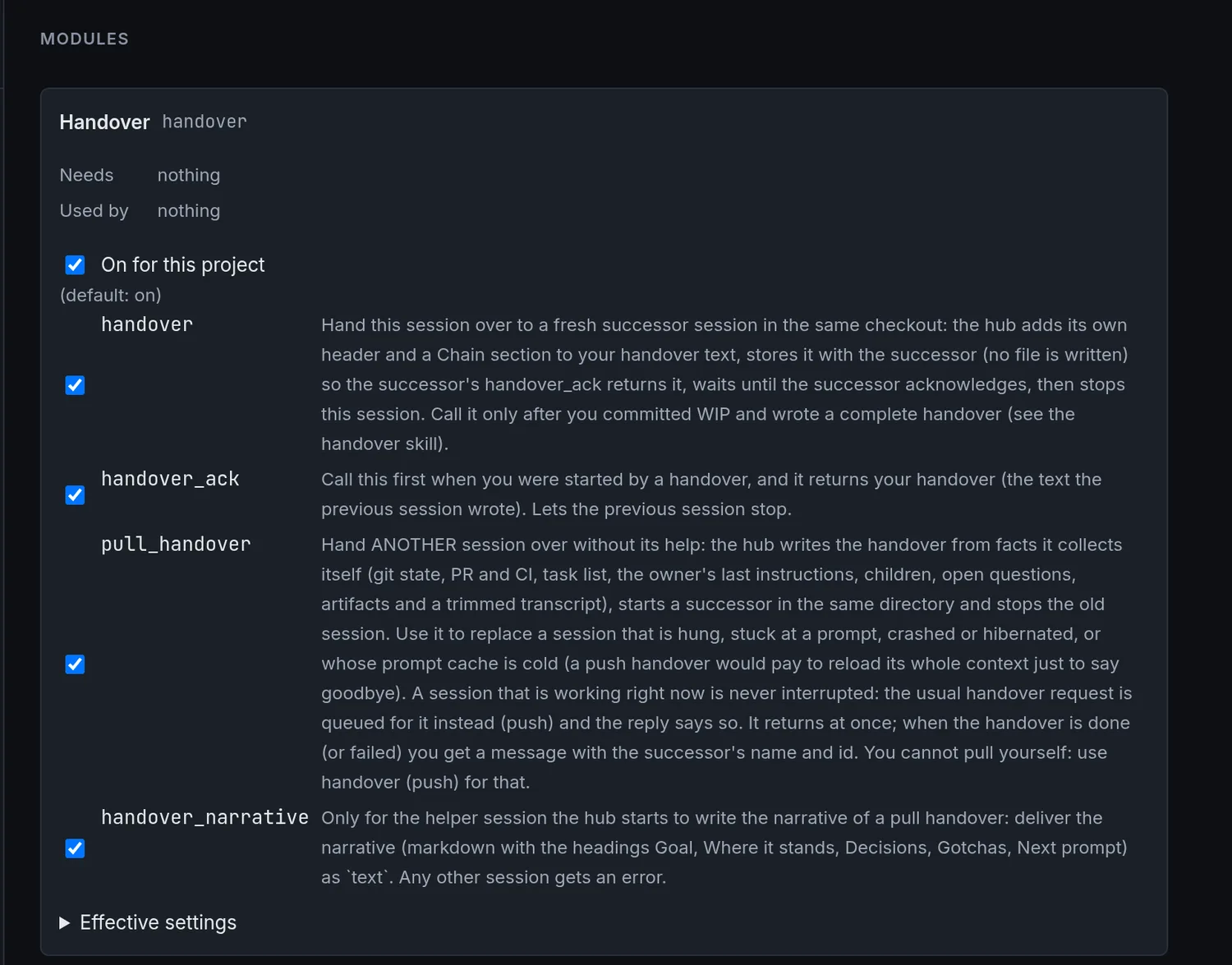
Optional features are separate modules with their own tools, so a project carries only what it needs. Switch each tool on or off per project, and add your own.

  • Handover and session management built in
  • Per-project switches for every tool
  • Install new modules from a feed
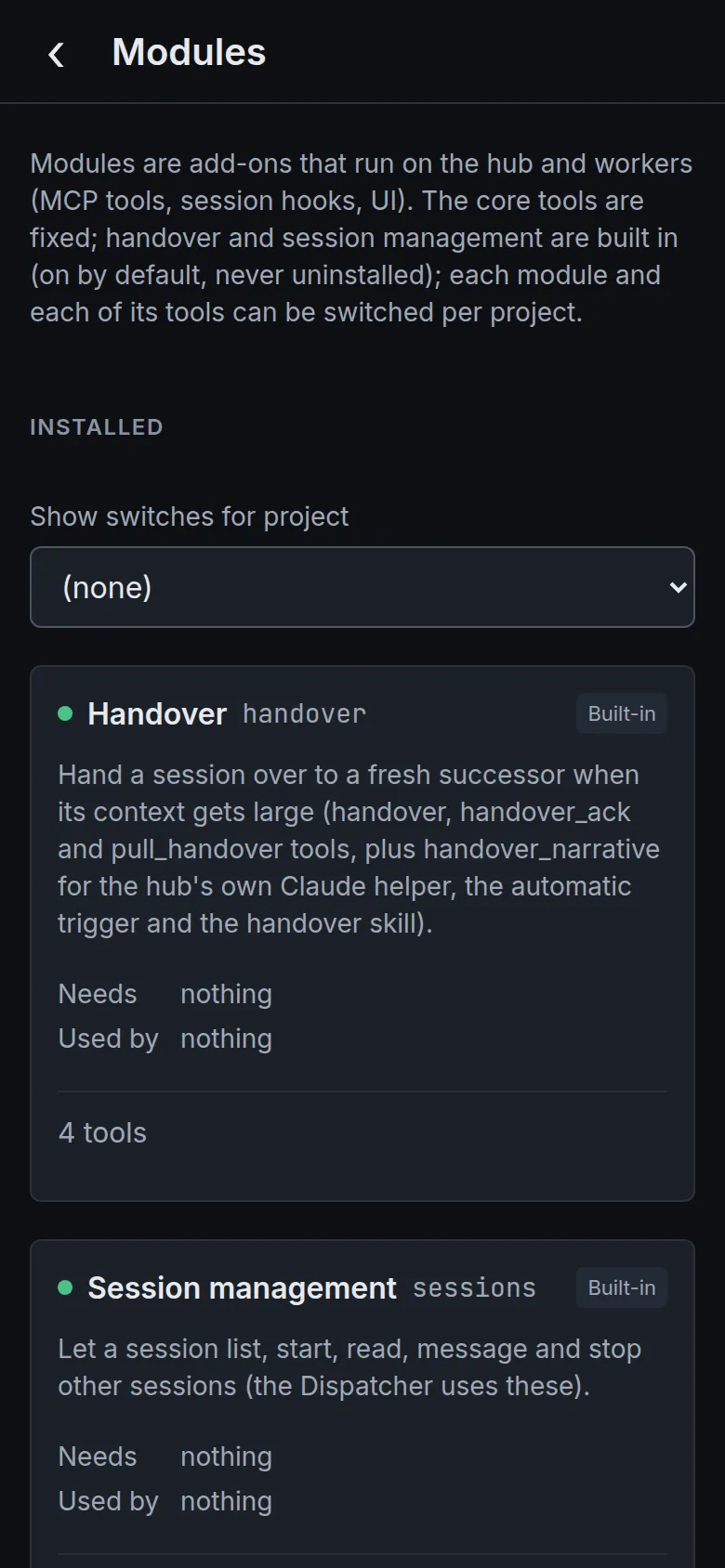
The Sessionweaver modules settings page listing the handover module and its tools with per-project switches.

Offline on the phone

Still works on a bad connection.

The phone keeps a local mirror of your sessions and queues what you do while the signal is poor, then syncs when it comes back. A slow or offline machine never blocks the screen.

  • Install it from the browser, no app store
  • Messages and answers wait in an outbox
  • The mirror is disposable: wipe it and it rebuilds
The tasks board on a phone, listing tasks that need attention with their status and number.
The modules page on a phone, with the handover and session management modules.

Your hardware, your data

Everything runs on machines you own. Nothing is sent to us, because there is no “us” in the loop.

Sessions outlive restarts

Each session is its own process. Update the hub or a worker and your running sessions carry on.

The real Claude Code

Workers host the actual claude terminal UI, so sessions behave exactly as they do in a terminal.

Phone first

Built for a thumb: big targets, a calm list, and answers one tap away.

Put every session in one place.

Install a hub, add a worker, open it on your phone. About ten minutes.